> For the complete documentation index, see [llms.txt](https://docs.objkt.com/product/llms.txt). Markdown versions of documentation pages are available by appending `.md` to page URLs; this page is available as [Markdown](https://docs.objkt.com/product/fundamentals/getting-started/wallet.md).
# Wallet
### What is a wallet?
A wallet lets you interact with [*dapps*](#user-content-fn-1)[^1] (decentralized applications) like objkt, and is where you store everything you own on [Tezos](/product/fundamentals/getting-started/what-is-tezos.md): your tez, your NFTs, and other digital assets. Think of it like the wallet in your pocket, but digital, and can do much more!
The most popular wallets on Tezos are [Temple](https://templewallet.com/) and [Kukai](https://kukai.app).
### How to get a Tezos wallet for free
**Kukai Wallet**
We've integrated [Kukai](https://wallet.kukai.app/) into objkt, so you can now create a wallet and get your own profile going in just a few clicks (rather than the slightly-longer signup process on their platform). To do so:
{% stepper %}
{% step %}
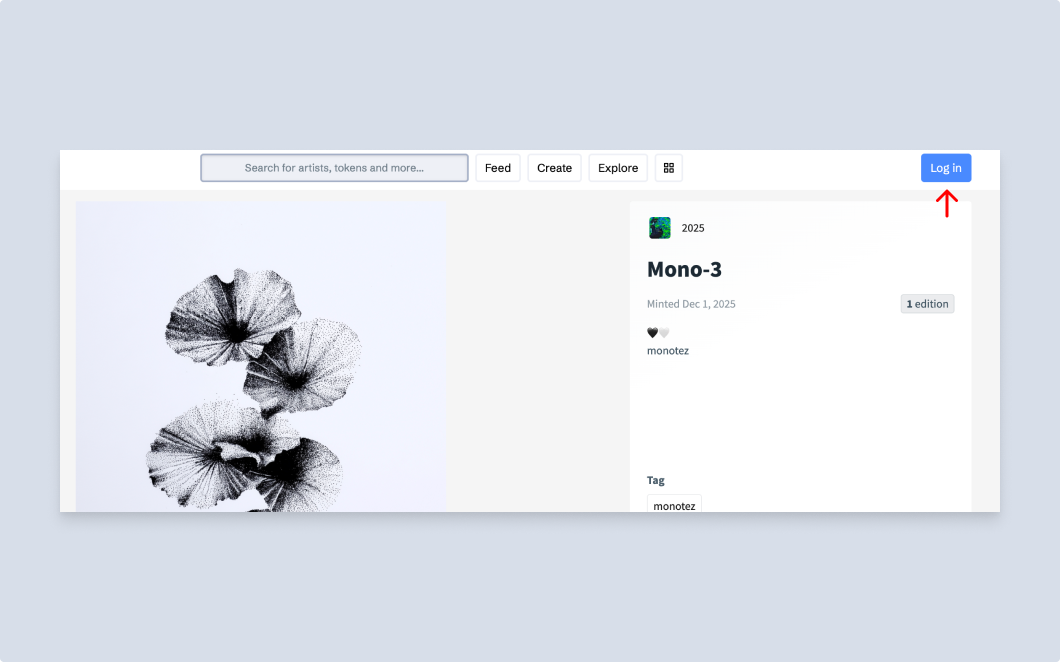
### Go to [objkt](https://objkt.com/) and click Log in
At the top-right corner of every page.
{% endstep %}
{% step %}
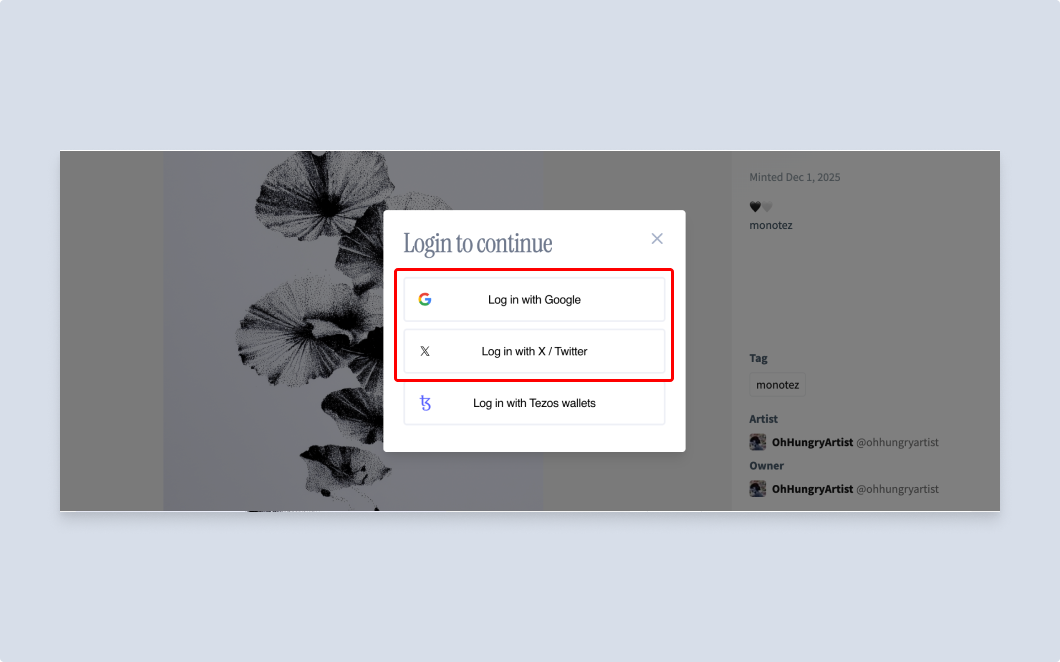
### Sign up via your social account
Pick Google or X/Twitter.
{% endstep %}
{% step %}
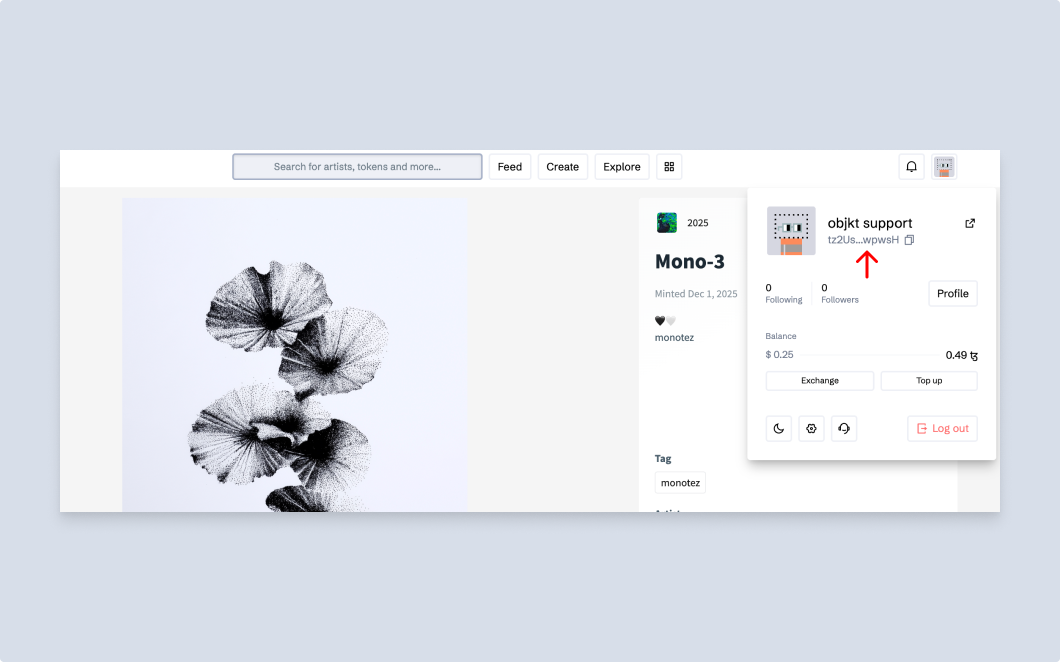
### That's it!
We'll create the wallet, link it to your profile, and all is set up for you. Once logged in, you can check your wallet ID from the profile drop-down, and start roaming all that we have to offer.
{% endstep %}
{% endstepper %}
Alternatively, you can click **Log in with Tezos wallets** in the login dialogue, and pick one of the available options to sign up via their website. Going that route shouldn't take more than 5–10 minutes of your time.
### **List of supported wallets**
Here are some of the supported wallets on Tezos:
* [Temple](https://templewallet.com) (desktop/mobile) ([Video tutorial here](https://www.youtube.com/watch?v=S8_tL8PfCts))
* [Kukai](https://kukai.app) (desktop/mobile) ([Signup instructions here](https://docs.kukai.app/learn-kukai/new-wallet))
* Note: Signing up via social login uses Kukai; this would just be the more manual way of doing so
* [Naan](https://www.naanwallet.com/) (mobile)
* [Airgap](https://airgap.it/) (desktop/mobile)
[^1]: An app that runs on a blockchain instead of a single company’s servers.